Duplicate T#s: How to clean up
The process to clean up a duplicate T# in Banner is not a simple one, and at this point, requires the individual departments (where records exists for each T#) to work collaboratively to address the issue. The OTS Applications team provides coordination of this work and support if specific records cannot be “moved” or “removed”, but does not play a large part in the actual clean-up. Each office is considered the Subject Matter Experts (SMEs) for their areas and are in the best position to determine which records on each ID are appropriate to keep, move, and/or delete.
In order to clean up the IDs:
- Offices with records for either/each ID must determine collectively which is the “good” ID and which is the “bad”; while often it is the case that the older ID is best (usually having the most records associated with it), it may be a simpler process for one office to make adjustments on one rather than the other.
- Each office will need to review the records associated with each ID and determine which can be moved to the “good” ID, which are duplicated on each ID, which are not necessary and can be deleted. The Applications team should be notified which ID is determined to be the “bad” ID; at the end of the process we will update the bad T# so that it is, in effect, deactivated.
- After review, each office must then execute the processes as appropriate for their office to move, update, delete the records. The Applications team is here to assist if particular records are “stubborn” and there is difficulty executing the move/update/deletion.
As I noted, this is not a simple process nor is it quick. Unfortunately, there can be no programmatic solution to move/update/delete the records. Most often, each pair of T#s will have unique circumstances in determining which records to keep and which to discard, making it nearly impossible to write code to cover all possible scenarios.
The cleanup of these records is very time sensitive to the students.
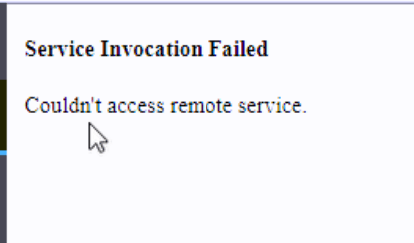
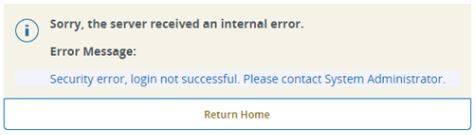
Employee Dashboard Not Opening from Banner Service: How to fix
- Check account in BAM:
Is acct expired/locked? If so, fix it.
- Also check two proxy check boxes if not checked.
- Save.
- Check Banner access in BAM:
If they have absolutely nothing on that page, make sure their T# is on the page AND give them the SSB9 security group.
The Error
Students may get this error when attempting to access Student Online Registration: “Admin staff are reviewing your registration records at this time… Please try again later.”
The Cause
This could be caused by an administrator (such as the Registrar’s Office) having the student record in Banner open when the student is trying to register.
The Fix
The employee in the Registrar’s office should release the record.
The student should:
- Try clearing your cache.
- Try an incognito browser window.
- Use a different browser than the one you are using.